
Generative AI use cases in business tend to succeed when teams stop chasing “cool demos” and start targeting one workflow, one metric, and one owner. If you lead a U.S. function team, the practical question is rarely “Can AI do this?” and more “Where will it remove bottlenecks without creating compliance headaches?”
Most organizations already have enough content, tickets, calls, and internal docs to fuel meaningful pilots, but they get stuck on prioritization, tooling sprawl, and risk reviews that arrive too late. The good news is that the highest-value wins often come from very ordinary work: drafting, summarizing, routing, and searching.
This guide walks through enterprise generative AI applications by business function, with concrete examples, a quick self-assessment, and rollout steps that fit how U.S. teams typically operate (security reviews, vendor procurement, and measurable outcomes).

Where generative AI pays off first (a simple value lens)
In real operations, generative tools create value in three repeatable ways: they reduce time spent on “language work,” they improve consistency, and they help people find the right information faster. When you evaluate generative AI for operational efficiency, try to map every idea to one of these buckets.
- Drafting: emails, proposals, knowledge base articles, job descriptions, release notes
- Summarizing: calls, tickets, long documents, meeting notes, vendor contracts (with legal review)
- Transforming: converting docs into FAQs, policies into checklists, call logs into themes
- Searching and Q&A: “Ask our docs” over policies, product specs, SOPs, playbooks
- Routing: classify and send work to the right queue, team, or next step
Key point: the best early use cases have clear input/output, a human in the loop, and a visible KPI (cycle time, handle time, first response time, conversion rate, defect rate).
Practical generative AI use cases by function (with examples)
Below are common generative AI use cases in business organized by function. They’re intentionally “boring” because boring work repeats, and repetition is where ROI usually hides.
Customer service and support
Generative AI in customer service typically starts with agent assist, not full automation. That keeps quality high while you learn.
- Agent reply drafts: suggest answers using the knowledge base and past tickets, agents approve and edit
- Case summarization: compress long ticket histories for faster handoffs and escalations
- Knowledge base upkeep: detect gaps from ticket clusters, draft new articles for review
- Deflection with guardrails: chatbot that answers only from approved sources, with clear escalation paths
What to measure: average handle time, time to first response, reopen rate, CSAT comments (qualitative), escalation rate.
Marketing personalization and content operations
Generative AI for marketing personalization works best when the model gets strong “brand rules” and a limited set of claims it can make, otherwise you spend more time fixing than saving.
- Variant generation: write 10 subject lines, 5 ad angles, 3 landing page hero options, then select and test
- Audience-specific rewrites: one core message rewritten for industries, job roles, or funnel stages
- Content repurposing: webinar to blog outline, blog to email sequence, report to social snippets
- Brief and creative QA: check for missing proof points, compliance disclaimers, and on-brand tone
What to measure: time from brief to first draft, volume of A/B tests shipped, CTR and CVR deltas, review iteration count.

Sales enablement and revenue operations
Generative AI for sales enablement is less about replacing reps and more about reducing “prep work” that steals selling time.
- Account briefs: summarize firmographics, news, CRM notes, and prior emails into a one-page view
- Call prep and follow-up: agenda suggestions, discovery questions, recap emails, next-step proposals
- RFP and security questionnaires: draft answers from approved content libraries, with review gates
- Objection handling: generate talk tracks aligned to positioning and competitive battlecards
What to measure: rep time saved, speed to first meeting, proposal turnaround, win/loss notes quality, content reuse.
Product development and engineering
Generative AI in product development can speed discovery and delivery, but teams should set expectations: it often boosts throughput, not strategy.
- PRD and spec drafting: turn research notes into structured requirements for PM review
- UX content and microcopy: consistent tone, clearer error messages, and help text variants
- Code assistance: boilerplate generation, unit test suggestions, refactoring ideas (human review required)
- Release notes: summarize merged tickets and commits into user-friendly notes
What to measure: cycle time, defects related to documentation gaps, time to draft specs, review time per pull request.
HR and recruiting
Generative AI in HR and recruiting often delivers quick wins in writing and standardization, but it also brings fairness and privacy questions.
- Job description drafts: consistent leveling and responsibilities, reviewed for bias and accuracy
- Interview kits: structured questions, scorecards, and role-specific competencies
- Candidate communication: email templates, scheduling messages, and offer-document explanations
- Policy Q&A: “Ask HR policy” chatbot limited to approved HR documents
What to measure: time to publish roles, recruiter throughput, interview feedback completion rate, candidate experience notes.
Finance, operations, and internal services
Generative AI for business process automation shows up here as document handling plus workflow routing, usually combined with RPA or ticketing.
- Invoice and PO exceptions: summarize discrepancies and suggest resolution paths
- Policy and SOP conversion: turn long docs into step-by-step checklists for frontline teams
- Procurement support: draft vendor comparison tables and risk questions for stakeholders
- Internal helpdesk: draft answers for IT requests, benefits questions, and access tickets
What to measure: cycle time per request, backlog size, rework rate, SLA adherence.
A quick-fit checklist: should you build, buy, or wait?
Not every idea deserves a pilot. Use this to pressure-test whether a proposed enterprise generative AI application has a clean path to production.
- Data readiness: do you have trusted source docs, and can you restrict the model to them?
- Risk profile: does the output affect regulated claims, financial reporting, employment decisions, or safety guidance?
- Human review: is there a realistic review step, or will people rubber-stamp outputs?
- Repeat volume: does this happen enough times per week to justify change management?
- Clear metric: can you measure time saved, quality, revenue impact, or customer outcomes?
- System integration: can it live inside tools teams already use (CRM, ticketing, docs, chat)?
If you answer “no” to data readiness or metrics, you may still explore, but keep it in sandbox mode and avoid promising timelines.
Use-case-to-implementation map (table U.S. teams can copy)
This table helps translate ideas into execution details, which is where many generative programs stall.
| Use case | Typical inputs | Output | Primary KPI | Risk notes |
|---|---|---|---|---|
| Support agent assist | KB articles, ticket text | Draft reply + citations | Handle time, reopen rate | Hallucinations; require citations and review |
| Marketing variants | Brief, brand rules | Copy sets for testing | Time to launch tests | Claims/compliance; guardrails on prohibited language |
| Sales account brief | CRM notes, emails | 1-page summary | Prep time saved | PII exposure; access controls and logging |
| Policy Q&A | Approved policies | Answers with sources | Ticket deflection | Outdated policies; content ownership and refresh cadence |
| Doc-to-checklist ops | SOP documents | Step list + validations | Error rate, cycle time | Wrong steps can cause operational errors; require SME signoff |
How to launch a pilot that survives procurement and security review
Many generative AI use cases in business die between “team excitement” and “enterprise reality.” A pilot that sticks usually has a narrow scope, a documented risk posture, and an adoption plan.
1) Pick one workflow and one user group
“Support team drafts responses in Zendesk” is a pilot. “AI for customer service” is a slide. Keep it small enough that you can watch real usage and fix failure modes quickly.
2) Build your guardrails before scaling
- Source constraints: retrieval over approved documents, not open-ended web answers
- Output constraints: templates, required fields, and tone rules
- Human approval: define who approves and what “good” looks like
- Logging: store prompts/outputs appropriately for audits and debugging
3) Instrument the workflow
If you cannot measure it, you cannot defend budget. Track baseline performance for 2–4 weeks, then compare after rollout with the same definitions.
4) Plan for change management
Even strong tools fail if teams feel judged or monitored. Position the rollout as help for throughput and consistency, and give people a safe way to flag bad outputs.
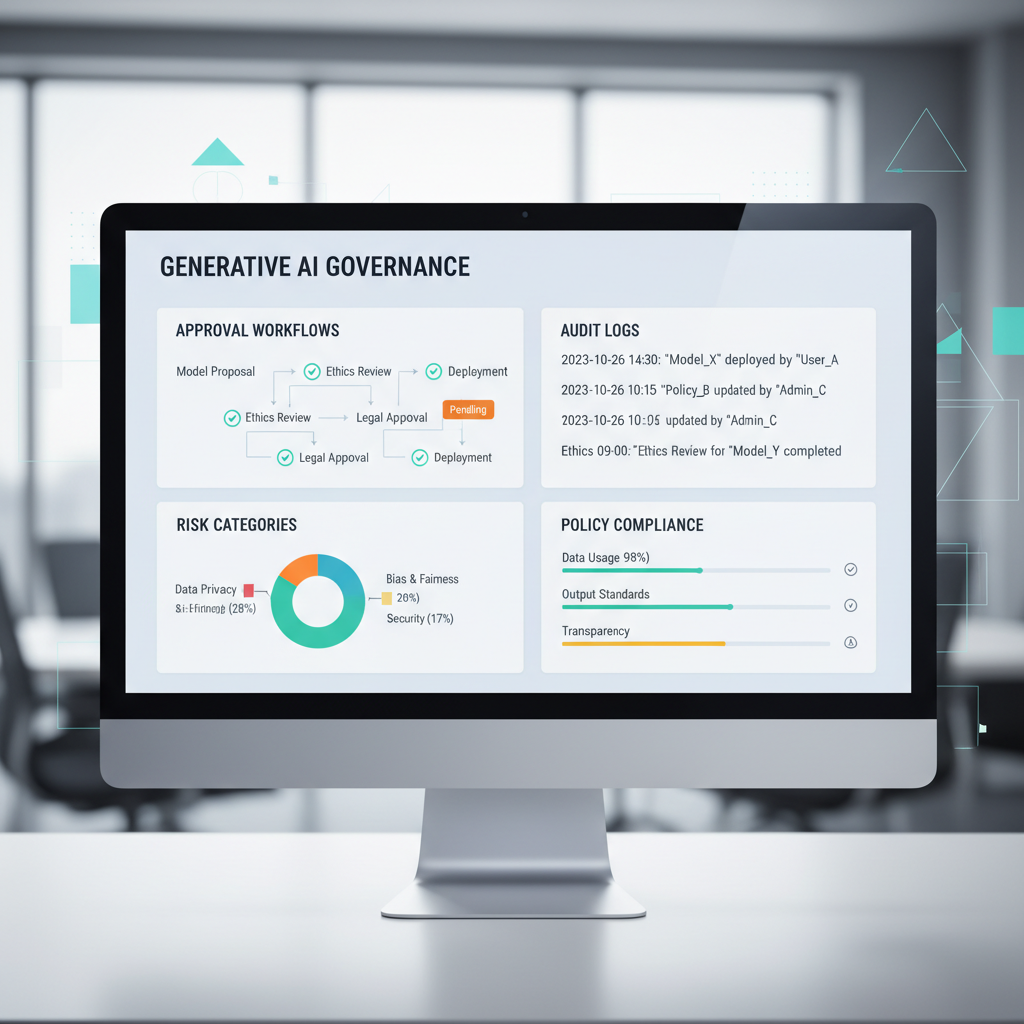
Governance and risk management: what “good” looks like in practice
Generative AI governance and risk management is not only legal language, it’s day-to-day operational discipline. According to NIST, AI risk management should be a structured lifecycle activity that includes governance, mapping, measurement, and management of risks.
- Data boundaries: define what cannot go into prompts (customer PII, PHI, confidential pricing) and enforce via tooling where possible
- Model and vendor review: align security, privacy, retention, and IP terms with internal policies
- Evaluation: test for factuality, toxicity, bias, and domain-specific correctness before broad release
- Access controls: role-based access, least privilege, and clear admin ownership
- Incident response: a playbook for prompt leaks, unsafe outputs, and policy breaches
If your use case touches hiring decisions, regulated disclosures, or health and safety guidance, treat AI outputs as suggestions and consider additional review steps; in many situations it’s wise to consult qualified legal, HR, or compliance professionals.
Hands-on tips for data analysis and insights (without overpromising)
Generative AI for data analysis and insights can be surprisingly useful when it turns “I have a dashboard” into “I know what to ask next,” but it should not be treated as a guaranteed source of truth.
- Insight copilots: generate hypotheses from trends, then verify in BI tools
- Natural-language querying: translate questions into SQL with peer review and tests
- Executive summaries: convert weekly metrics into narrative, call out anomalies and next questions
- Data catalog Q&A: explain metric definitions and lineage from your internal documentation
For U.S. teams, a practical standard is: AI can propose, humans validate, systems of record decide.
Conclusion: choose boring, measurable, and safe
Teams get the most out of generative AI use cases in business when they prioritize repeatable work, keep humans accountable for final decisions, and treat governance as part of the product, not a blocker. If you want momentum, pick one workflow where quality is already understood, add guardrails, and measure the before-and-after honestly.
Two actions to take this week: write a one-page pilot brief (workflow, users, KPI, risks), then run a small two-week test with real production-like data under the right permissions.
FAQ
- What are the most common generative AI use cases in business right now?
Drafting and summarizing content, support agent assist, sales follow-ups, internal policy Q&A, and document-to-checklist workflows tend to be the most common because they’re easy to scope and measure. - How do enterprise generative AI applications differ from “chatbots”?
Enterprise deployments usually include identity and access controls, approved data sources, audit logs, and evaluation tests, so outputs can be traced and reviewed, not just generated. - Is generative AI for operational efficiency mostly about headcount reduction?
In many organizations it shows up first as throughput and cycle-time improvement, letting teams clear backlogs or increase quality, headcount outcomes vary by strategy and constraints. - How can generative AI in customer service avoid hallucinations?
Limit answers to retrieved knowledge base content, require citations, keep an agent approval step, and monitor failure patterns so you can fix source docs or tighten prompts. - What’s a safe way to use generative AI for marketing personalization?
Use it for variants and rewrites inside clear brand and compliance rules, then rely on testing and human review to decide what ships, especially for regulated claims. - Can generative AI for sales enablement write proposals automatically?
It can draft sections and tailor messaging, but most teams keep review gates for pricing, legal terms, and customer-specific commitments to avoid costly errors. - How should we approach generative AI governance and risk management early?
Start with a lightweight policy on data handling and approved tools, add logging and access controls, and build a repeatable evaluation checklist before scaling to more teams.
If you’re trying to prioritize use cases, keep stakeholders aligned, or set up guardrails that your security and legal teams will accept, a short pilot plan and an evaluation checklist can save weeks of back-and-forth and help you move from experimentation to a controlled rollout.