
Budget phone screen protectors can protect your display surprisingly well, as long as you buy the right type for your phone and install it cleanly. The problem is that “cheap” covers everything from decent tempered glass to flimsy plastic that peels in a week, and listings often hide the details that matter.
If you’ve ever watched a protector shatter from a small drop, or found a mystery “halo” edge after installation, you already know the frustration, you paid to feel safe, then you still baby your phone. This guide focuses on what actually changes protection: material, thickness, edge design, and how well it fits your specific model and case.
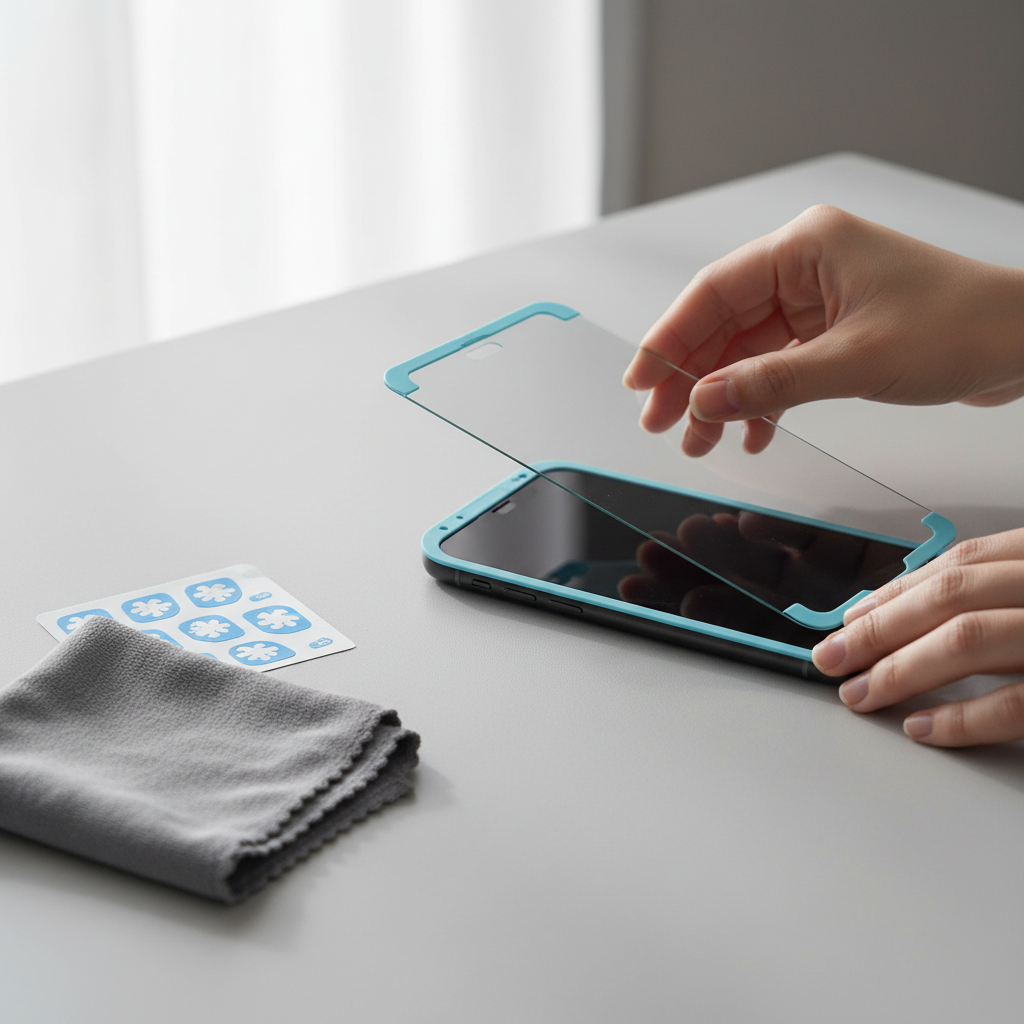
I’ll also share a quick checklist to tell whether you need glass, film, or privacy protection, plus a simple install process that prevents bubbles and dust. No magic, just the stuff that tends to work in real life.
Quick takeaways before you shop
- Tempered glass is the usual “best value” for scratch resistance and daily protection, especially if you drop your phone.
- TPU/PET film can be fine for light scratch prevention, curved screens, and tight budgets, but it may feel less “premium.”
- Fit matters as much as material, look for your exact model name, not just “6.1-inch.”
- If you use a case, choose a case-friendly protector so edges don’t lift.
What “protection” really means for screen protectors
Most people want one thing: fewer cracked screens. But a screen protector doesn’t make your phone indestructible, it changes how impact and scratches show up, and it can take the damage instead of your display.
There are three main “jobs” a protector does, and budget options vary a lot across them:
- Scratch resistance: keys, sand, countertop grit. Tempered glass typically performs better than thin plastic here.
- Impact buffering: small drops and corner hits. A good glass protector can crack while your screen stays fine, that’s not always a failure.
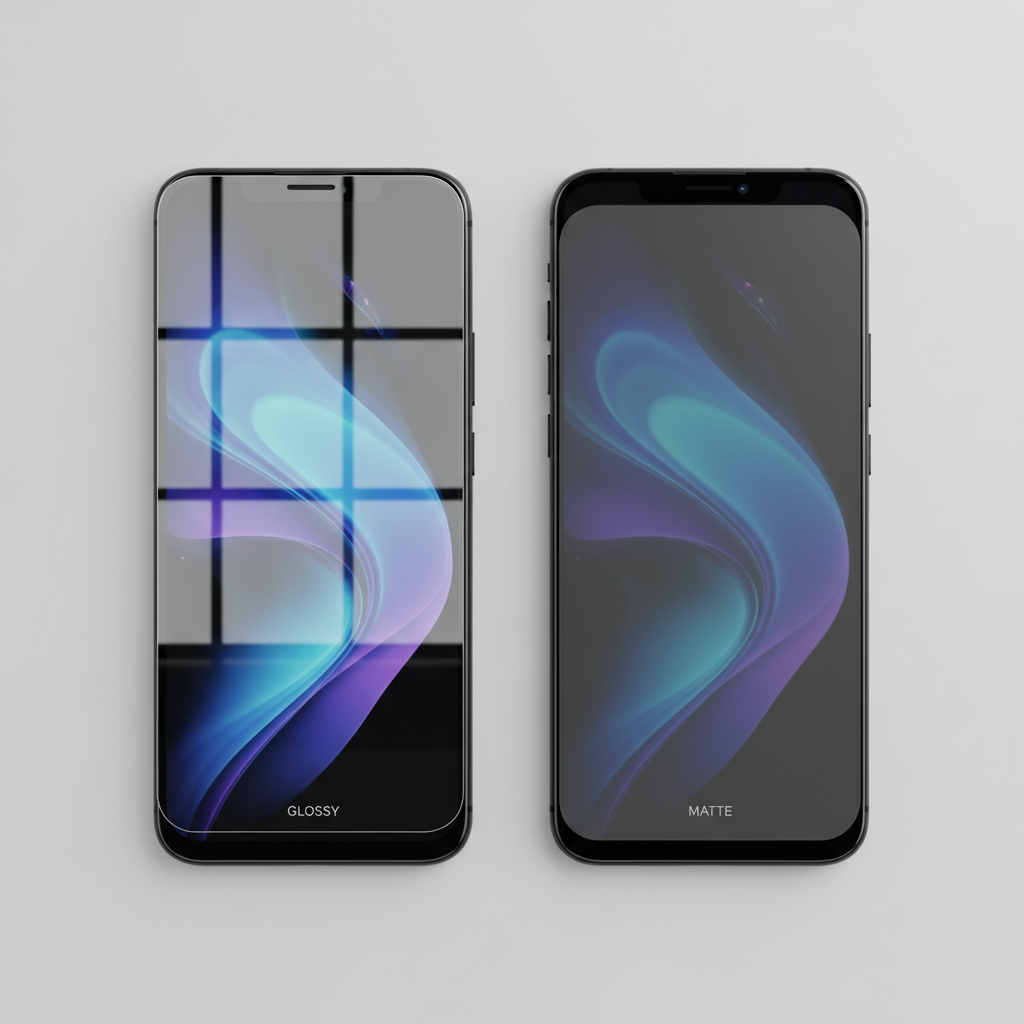
- Surface feel and visibility: clarity, glare, fingerprint smudging, touch response. Cheap coatings sometimes smear more.
According to Apple, using the wrong cleaning materials can damage screen coatings, which is a good reminder that protection is a system: protector choice, cleaning habits, and your case all interact.
Why budget protectors disappoint (and how to spot it early)
When cheaper protectors go wrong, it usually isn’t one dramatic flaw, it’s a few small compromises stacking up. Here are the ones I see most often in day-to-day use.
- Wrong fit sold as “universal”: camera cutouts don’t line up, edges sit on curved glass, then you get lifting.
- Weak adhesive: protector looks fine on day one, then corners start peeling after pocket time.
- No oleophobic coating (or a weak one): fingerprints smear fast, cleaning becomes constant.
- Case conflict: a thick case lip presses the edge and slowly breaks the seal.
- Bad packaging: protector arrives slightly bent, chipped, or dusty, especially with ultra-cheap multi-packs.
One practical tip: if a listing hides the exact phone model and only mentions screen size, treat it as a warning. “iPhone 15/14/13 6.1” bundles can work sometimes, but button placement and bezels shift across generations more than sellers admit.
Which type should you buy: a fast self-check
If you’re choosing between budget phone screen protectors, don’t start with brand names, start with how you use your phone. Answer these quickly:
- You drop your phone sometimes (commute, kids, gym): choose tempered glass with a solid thickness range and case-friendly edges.
- You hate fingerprints and want a smooth feel: glass with an oleophobic coating usually feels better.
- You have a curved-edge screen: film or a curved-compatible glass system is often easier than forcing flat glass to sit right.
- You work outdoors: consider matte/anti-glare film, accepting slightly softer sharpness.
- You want privacy on the subway: privacy glass can help, but it often dims the screen and narrows viewing angles.
Also be honest about your patience. If you know you’ll rush the install, buy a kit with an alignment frame and dust tools, even if it costs a few dollars more, it saves more protectors than people expect.
Budget buyer’s table: what to look for (and what to skip)
| Feature | What it affects | Budget-friendly sweet spot | Common trap |
|---|---|---|---|
| Material | Scratch resistance, feel | Tempered glass for most phones | Ultra-thin plastic that scuffs quickly |
| Edge design | Lifting, comfort | Case-friendly edges, rounded corners | Full-coverage that conflicts with cases |
| Coating | Smudges, cleaning | Oleophobic listed clearly | Vague “anti-fingerprint” marketing |
| Install kit | Bubbles, dust | Alignment frame + dust stickers | No tools, no guidance, no spare |
| Pack size | Value over time | 2-pack from a reliable seller | 6-pack with inconsistent quality |
How to install a screen protector without bubbles (practical steps)
This is where many budget phone screen protectors fail in reviews, not because the product is unusable, but because dust and misalignment ruin the first try. A clean, slow install beats “perfect technique.”
Prep (2 minutes that save you 20)
- Wash hands, then dry fully.
- Turn off ceiling fans, they stir dust.
- If possible, install after a hot shower, bathrooms often have less airborne dust.
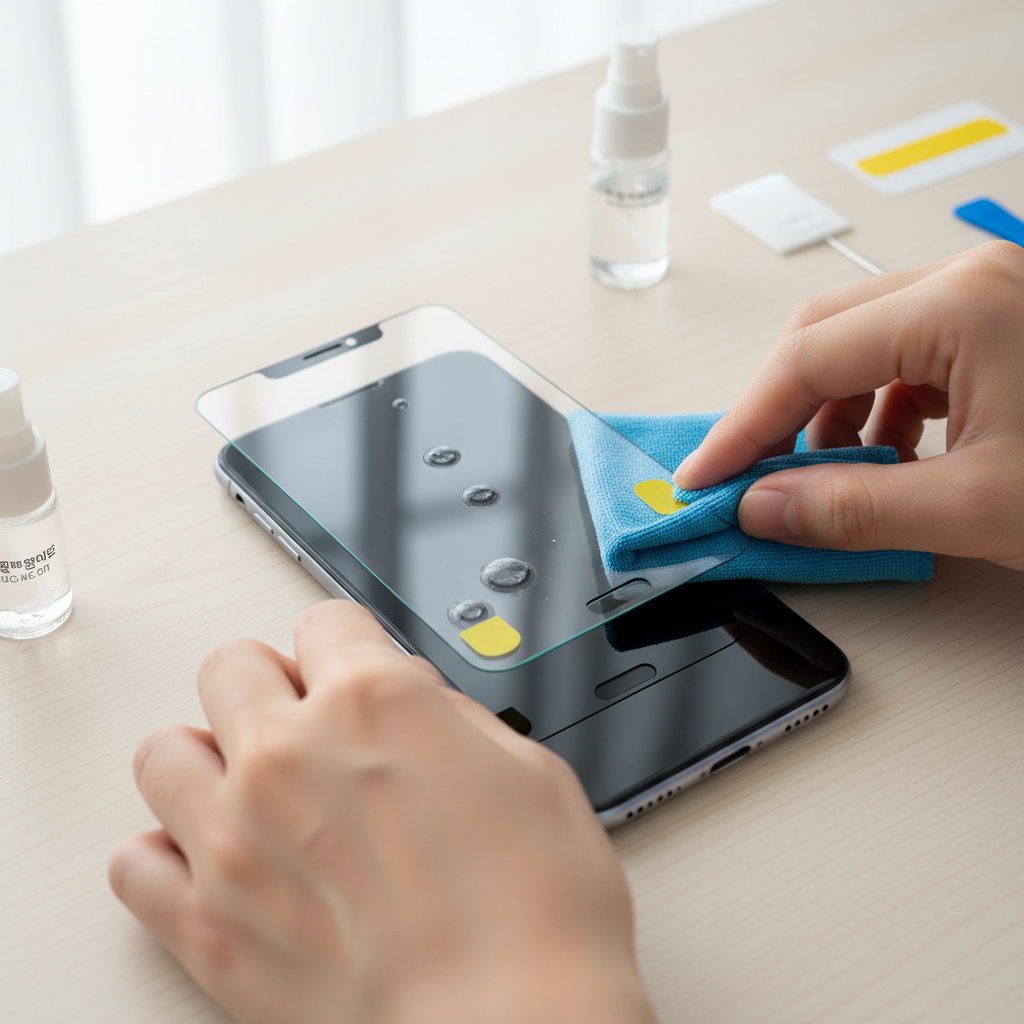
- Clean the screen with the included wet wipe, then microfiber, then do a final pass with a dry corner.
Align first, peel later
- Place the protector on the phone without removing the backing, check camera cutouts and top/bottom spacing.
- If you have an alignment frame, use it even if it feels “extra.”
- Use the dust sticker across the entire screen, not just visible specks, tiny lint is the enemy.
Drop it clean, then chase bubbles
- Peel the backing slowly, avoid touching adhesive.
- Set one edge down first, then let the protector “fall” across the screen.
- Use a card wrapped in microfiber to push bubbles to the edge, move in short strokes.
If one stubborn bubble won’t move, it’s usually dust. Lifting one corner with a sticker and removing the speck often works, but repeated lifting can weaken adhesive, so pick your battles.
Common mistakes that waste money (even on “good” cheap picks)
- Mixing full-coverage glass with a tight case: edge pressure causes lifting, then dust creeps in.
- Assuming “hardness ratings” tell the whole story: many listings throw around “9H,” but real-world durability depends on thickness, glue, and fit too.
- Cleaning with harsh chemicals: it can degrade coatings and make the surface feel sticky. According to Apple, avoiding abrasive cleaners helps protect display coatings.
- Installing in a dusty room: if you can see sunlight beams, you can assume dust is floating there too.
- Buying the cheapest privacy option: many budget privacy screens reduce brightness enough that you crank the display up, which can feel annoying outdoors.
One more thing people don’t love hearing: if your screen is already chipped at the edge, a new protector may never seal perfectly. It can still help with scratches, but expectations should stay realistic.
When you should step up from “budget”
Sticking with budget phone screen protectors makes sense for most users, but there are a few situations where spending more, or choosing a specialty option, tends to reduce headaches.
- Frequent drops and you keep phones for years: look for better adhesive systems, stronger edge finishing, and dependable warranty support.
- Curved or unusual displays: some phones simply fit better with higher-quality film systems or brand-specific glass kits.
- Work environments with grit (construction, warehouses): prioritize scratch resistance and easy cleaning, replace protectors more often.
- Eye strain concerns: “blue light” claims vary and are hard to verify from listings alone, if eye discomfort is persistent, it’s wise to ask a qualified professional rather than relying on a protector as a fix.
Conclusion: a simple way to buy with confidence
A good protector doesn’t have to be expensive, but it does have to match your phone, your case, and your tolerance for install fuss. If you want the safest default, pick tempered glass from a seller that clearly lists your exact model, includes an alignment frame, and has a straightforward return policy.
If you do one thing today, do this: check your phone model name in Settings, then buy a case-friendly protector made specifically for that model, and set aside 10 calm minutes to install it cleanly. That’s usually what separates “cheap and annoying” from “cheap and totally fine.”
FAQ
- What are the best budget phone screen protectors for iPhone?
Tempered glass made for your exact iPhone model is typically the safest value pick, especially if it includes an alignment tray. The “best” option depends on your case and whether you want full-coverage edges. - Are cheap tempered glass protectors actually protective?
Many are protective for scratches and minor drops, but quality varies in adhesive and edge finishing. If corners lift quickly or the glass arrives damaged, it’s often not worth fighting. - How do I know if a protector is case-friendly?
Look for wording like “case compatible” and check photos showing a small gap around the edges. If reviews mention lifting with popular cases, that’s a useful signal. - Is film better than glass for curved screens?
Often, yes. Curved edges can make flat glass lift, while TPU film conforms more easily. Some curved-compatible glass kits work well too, but install can be fussier. - Why does my screen protector crack so easily?
Cracking can happen even when it protects your screen, but frequent cracking can also mean poor edge fit, pressure from the case, or repeated impacts on the same corner. Switching to a case-friendly design may help. - Can a screen protector affect fingerprint sensors?
It can, especially on in-display sensors. Thicker glass or certain coatings may reduce reliability, and you may need to re-register fingerprints after installation. - How often should I replace a screen protector?
Replace when you see deep scratches, cracks, peeling edges, or touch issues. Some people replace every few months, others go a year, it depends on drops, grit exposure, and how picky you are about clarity.
If you’re trying to pick between a few cheap options and the listings all look the same, focus on the boring details: exact model fit, case compatibility, and an alignment kit. If you want, share your phone model and case name, and I can narrow the shortlist without guessing.