
Best chatgpt prompts for business work when they stop being “clever requests” and start acting like a solid brief you’d hand to a coworker. If your outputs feel generic, it’s usually not the model “being bad”, it’s the prompt missing context, constraints, and a clear definition of done.
This matters because AI results often look convincing even when they’re off, and in business that can mean wasted time, brand inconsistency, or decisions built on shaky assumptions. The goal here isn’t to turn you into a prompt engineer, it’s to give you prompt patterns you can reuse across teams.

One more thing before the prompts: treat AI as a fast draft partner, not a source of truth. According to OpenAI guidance on system and user instructions, clearer instructions and specific constraints tend to improve reliability, and you still need human review for accuracy and compliance.
What makes a business prompt “good” (and why most fail)
Most prompts fail for boring reasons: the request is too broad, the audience is undefined, or the output format is unclear. You get something “fine”, then you spend longer fixing it than writing it yourself.
In practice, strong business prompts usually include five pieces. If you add nothing else, add these.
- Role: who the model should act as (sales ops, analyst, HR, etc.)
- Goal: what success looks like in one sentence
- Context: product, market, channel, stage, constraints
- Inputs: paste real examples, data, notes, messy bullets
- Output spec: format, length, tone, and what to avoid
Key takeaway: If your team keeps asking for “a strategy” or “some ideas,” expect vague output. If you ask for a decision memo, a 5-email sequence, or a table with pros and cons, the output typically gets sharper.
Quick self-check: which prompt problem do you actually have?
Before you copy a list of best chatgpt prompts for business, run this 60-second check. It helps you pick the right fix instead of adding more words.
- Output sounds generic → you’re missing audience + differentiation + examples.
- Output is wrong → you didn’t provide source info, or you asked it to “research” without guardrails.
- Output is long-winded → you didn’t specify structure, word count, or “no filler.”
- Output doesn’t match brand → you didn’t provide voice rules or “do/don’t” samples.
- Output is unusable for execution → you need steps, owners, timeline, and a template.
If you only fix one thing, fix output format. People underestimate how much “Give me a table with columns X/Y/Z” changes the result.
A reusable prompt framework (copy/paste)
This is the skeleton I’d keep in a shared doc so everyone prompts consistently. It’s not fancy, it just reduces back-and-forth.
Prompt framework:
- Role: You are a [role].
- Objective: Help me [single outcome].
- Context: [industry, customer, pricing, channel, stage, constraints].
- Inputs: Here are the materials: [paste].
- Rules: Use US English, keep it under [X], avoid [Y], include [Z].
- Output: Provide [format: table / bullets / email / SOP].
- Quality check: Ask up to [3] questions if anything is missing.
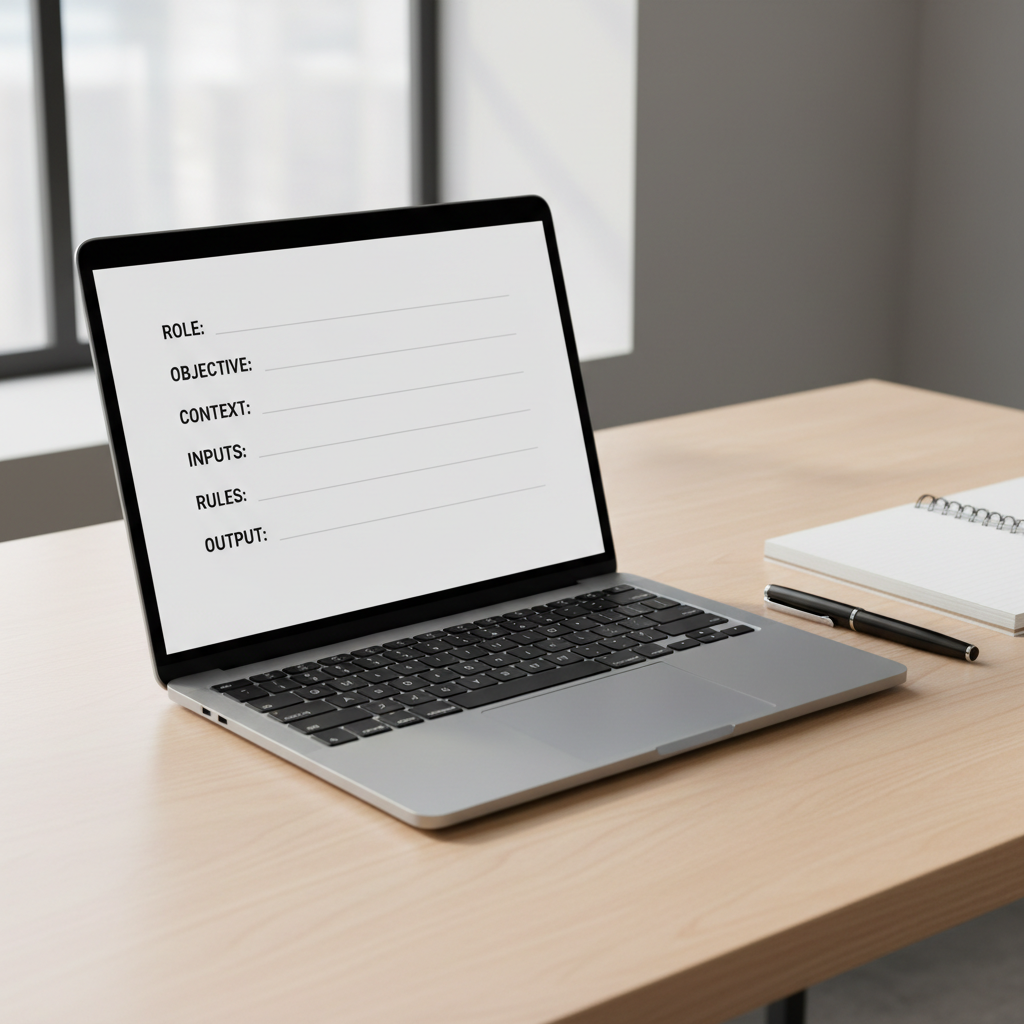
Yes, this looks like overkill. But once you reuse it, it becomes faster than rewriting prompts from scratch, and it’s easier to delegate across marketing, sales, ops, and HR.
Best ChatGPT prompts for business (by job-to-be-done)
Below are practical prompt starters you can drop into your workflow. Replace bracketed text with your real details, and paste examples whenever you can.
Leadership & strategy
- Decision memo: “You are my chief of staff. Turn the notes below into a 1-page decision memo with options, risks, and a recommendation. Include ‘What would change my mind’ at the end. Notes: [paste].”
- Quarterly priorities: “Act as an operator. Propose top 5 priorities for the next quarter for a [company type] selling to [ICP]. Format: table with Priority, Why now, Owner role, KPI, First 2 actions.”
- Pre-mortem: “We’re about to launch [initiative]. Run a pre-mortem: list 12 ways this could fail, early warning signs, and mitigations. Keep it realistic, no generic items.”
Sales (prospecting, discovery, follow-up)
- ICP refinement: “You are a B2B sales strategist. Based on this product description and current customers, propose 3 ICP segments with pains, triggers, and objection themes. Inputs: [paste].”
- Discovery questions: “Create a discovery call plan for [product] selling to [role]. Include 10 high-signal questions, what a ‘good answer’ sounds like, and red flags.”
- Follow-up email: “Write a follow-up email after a demo for [company]. Tone: confident, not pushy. Include recap bullets, 2 value points tied to their pains, and one clear CTA. Notes: [paste].”
Marketing (positioning, content, campaigns)
- Positioning draft: “Act as a product marketer. Draft positioning for [product] for [ICP]. Output: messaging house with value prop, 3 pillars, proof points, and ‘not for’ statement.”
- Content brief: “Create an SEO content brief targeting [keyword]. Include search intent, outline, section-by-section guidance, and suggested FAQs. Avoid made-up stats; mark any claims that need verification.”
- Ad variations: “Generate 12 ad headline + primary text combos for [offer] on [channel]. Constraints: max [X] characters, no hype words, include 4 variations focused on pain relief.”
Customer support & success
- Macro responses: “Turn these support tickets into 8 reusable macro replies. Keep empathy, include step-by-step troubleshooting, and an escalation trigger. Tickets: [paste].”
- Churn analysis: “Analyze these cancellation notes and tag themes. Output: table with Theme, Example quotes, Likely root cause, Fix idea, Effort (S/M/L). Notes: [paste].”
- Onboarding checklist: “Create a 14-day onboarding plan for a new customer using [product]. Include milestones, success metrics, and what to send on days 1, 3, 7, 14.”
Operations & finance (process, forecasting, vendors)
- SOP builder: “Convert this messy process into an SOP. Include purpose, scope, steps, owner, inputs/outputs, and quality checks. Process notes: [paste].”
- Vendor comparison: “Compare these vendors for [use case]. Output a table with must-have requirements, tradeoffs, risks, and recommended choice by scenario (lean team vs enterprise). Data: [paste].”
- Simple forecast: “Using this pipeline snapshot and assumptions, produce a conservative and aggressive monthly revenue forecast for 3 months. Show assumptions clearly and list what data is missing.”
HR & people (hiring, performance, comms)
- Job description: “Draft a JD for a [role] at a [stage] company. Include outcomes for first 30/60/90 days and realistic must-haves vs nice-to-haves. Avoid buzzwords.”
- Interview scorecard: “Create an interview scorecard for [role]. Include competencies, strong/weak signals, and 2 questions per competency.”
- Policy draft: “Draft a plain-English policy for [topic]. Keep it general and flag areas that should be reviewed by HR/legal before publishing.”
A prompt “cheat table” you can share with your team
If you want consistent output across functions, standardize the ask. This table covers the most common business use cases and what to specify.
| Use case | What to provide | Best output format | Quality guardrail |
|---|---|---|---|
| Strategy choice | Goal, constraints, timeline, options you’re considering | Decision memo | Ask for risks + “what would change my mind” |
| Sales email | ICP, pain, proof, CTA, prior thread | 3 variants + subject lines | Max length + “no hype” rule |
| SEO brief | Keyword, product angle, SERP notes, brand voice | Outline + FAQs | Flag claims needing verification |
| SOP/process | Current messy steps, tools, handoffs, failure points | SOP template | Add checks + escalation triggers |
| Customer insights | Tickets, churn notes, NPS comments, call snippets | Theme table | Require quotes as evidence |
Teams that adopt a shared table like this usually see fewer rewrites, because the prompt already “locks in” the deliverable, not just the topic.
How to use these prompts in real workflows (so they don’t stay in a doc)
The difference between “cool prompts” and measurable value is how you operationalize them. A few patterns tend to work in many US businesses, from startups to departments inside larger companies.
- Start with a draft, then do a second pass: Ask for v1, then prompt: “Now tighten by 20%, remove fluff, and make claims more cautious.”
- Force specificity: “Use our audience: [persona]. Use our offer: [offer]. Use these examples: [paste 2].”
- Ask for assumptions explicitly: “List assumptions you made, and what inputs would reduce uncertainty.”
- Build a mini review checklist: voice, accuracy, compliance, formatting, next step.
If you’re using AI for anything externally facing, add a line that prevents confident guessing: “If you’re not sure, say so and propose what to verify.” It sounds simple, but it reduces risky output.
Common mistakes (and what to do instead)
Even with the best chatgpt prompts for business, a few habits keep outputs mediocre. These fixes are small, but they change the feel of the result.
- Mistake: “Write a marketing plan.” Instead: “Propose 3 campaign concepts for Q2 with target, channel, budget range, KPI, and first-week tasks.”
- Mistake: Asking for “research” without sources. Instead: Provide your source links or data, or ask for a framework and a list of items to verify.
- Mistake: No examples. Instead: Paste one good email, one bad email, and explain why.
- Mistake: Using AI for sensitive HR/legal language. Instead: Use it for a plain-English draft, then have HR or legal review before use.
According to NIST AI risk management guidance, organizations should manage AI risks through governance and ongoing monitoring. In plain terms, keep a human in the loop where errors cost real money or trust.
Conclusion: make prompts boring, and results get better
If you take one idea from this list, let it be this: business prompting is mostly good briefing. Pick a clear output type, add constraints, paste real inputs, and make the model ask questions when it lacks context.
Action steps: save the framework as a shared template, then choose 3 prompts from the sections above and run them this week on real work, not hypothetical examples. You’ll learn faster, and your team will stop treating AI like a magic button.